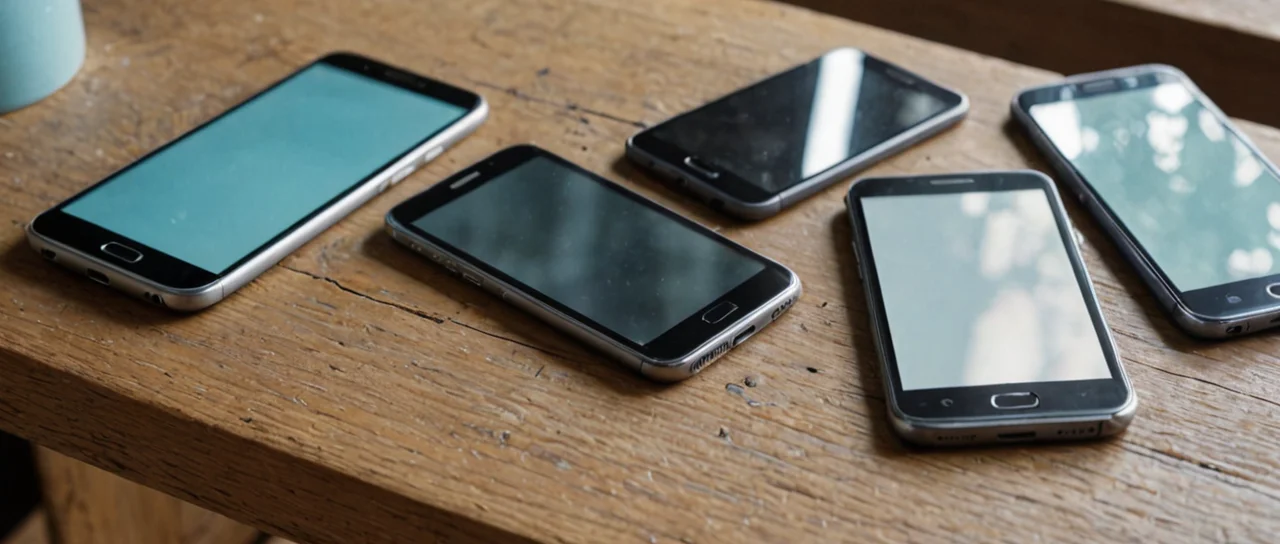
The single decision that shapes everything else about a phone purchase is whether you buy the device outright and keep your carrier relationship portable, or accept a subsidized handset tied to a carrier's financing and unlock schedule. Everything downstream — how much you pay per month, when you can switch networks, how much of the phone you actually own at any given moment — flows from that one fork. The second decision, increasingly unavoidable in the United States, is whether the phone uses a physical nano-SIM tray or an eSIM. Those two choices interact, and getting them in the wrong order costs money.
Buying outright versus carrier financing
An unlocked phone bought at full price is yours from day one: no unlock request, no waiting period, no carrier approval to move to another network. A financed phone is not — the carrier holds leverage until the installment agreement is paid off, and the unlock policy is written by the carrier, not by you. The trade-off is cash flow. Full price is a large single payment; financing spreads it but converts a hardware purchase into a contract with conditions attached.
The practical difference shows up when you want to leave. On an unlocked device, switching carriers is a SIM swap: you move the SIM, port the number, done. On a financed device, you either pay off the remaining balance first or you stay. That matters most in the first year, when the outstanding balance is largest. It matters less near the end of the term, when the balance is small enough that paying it off to leave is a minor cost.
There is a real case for financing: if you were going to stay with that carrier anyway, the installment plan is cheaper than full price plus a separate plan, because the subsidy is buried in the device price rather than the monthly rate. The mistake is financing a phone you intend to move with. Check the unlock terms before you sign, not after. And check them again at the point you actually want to leave — carriers revise these policies, and the terms you agreed to are the ones that bind you.
The limits of buying outright: it ties up capital in a depreciating asset, and you carry the full resale risk yourself. A phone bought outright and sold a year later recovers part of the cost; a financed phone traded in at the end of term usually recovers less, because the carrier sets the trade-in value. If you upgrade every year, financing plus trade-in is often the cheaper path despite the lock-in. If you keep a phone for several years, outright purchase wins on total cost almost every time.
How eSIM changes the switching math
An eSIM is not a smaller SIM card. It is an embedded chip — the eUICC, or Embedded Universal Integrated Circuit Card — that stores operator profiles and can hold more than one at a time. The GSMA definition is precise: an eUICC is a SIM architecture that allows a single embedded SIM to securely store and manage multiple mobile network operator profiles, and an eSIM is the generic term for devices and eUICCs that support Remote SIM Provisioning as defined by GSMA. Remote SIM Provisioning (RSP) is the process for downloading, installing, enabling, disabling and deleting a subscription profile over the air.
That over-the-air provisioning is the part that changes behavior. With a physical SIM, moving to a new carrier means obtaining a piece of plastic — in a store, by mail, or from a kiosk. With an eSIM, the profile arrives as data. You scan a QR code from the carrier or complete an in-app activation, and the profile installs. The activation step is where most first-time eSIM failures happen: the QR code is single-use, so if you scan it while the phone is on the wrong network or with the wrong region set, the profile can fail to install and you need a new code from the carrier. Do the install on Wi-Fi, with the phone unlocked, before you cancel the old line.
Because an eUICC can store multiple operator profiles, a phone can carry a home line and a travel line simultaneously, or a work line and a personal line, switching between them in settings rather than swapping plastic. That is genuinely useful for frequent travelers — you can add a local data profile on arrival without touching your home number. The cost is that the profile management lives inside the phone's software, so a factory reset, a botched OS update, or a lost device can take the profiles with it. Physical SIMs survive a phone swap by being moved; eSIM profiles usually have to be re-provisioned by the carrier, and some carriers charge for that or limit how often you can do it.
The standards matter when you are checking compatibility. Consumer eSIM provisioning follows GSMA SGP.22, the RSP architecture specification for consumer devices; the consumer technical specification was at version v2.6.1 as of 2025-04-25. The M2M variant is SGP.02, and the IoT variant is SGP.32. For a phone buyer, SGP.22 is the one that matters — it is what carrier support desks mean when they ask whether your device supports eSIM. A phone can have the hardware and still lack carrier certification, which is why you check the carrier's own device list rather than the spec sheet.
Carrier locking, unlocking, and what you can actually do
A locked phone will reject another carrier's SIM even if the hardware supports that carrier's bands. Locking is a software restriction enforced at the modem level, and it is separate from the eSIM question: an eSIM-only phone can be locked just as thoroughly as one with a tray. The unlock process is carrier-controlled, and the sequence matters — you request the unlock, the carrier pushes it over the air, and the phone restarts with the restriction lifted. If the request is denied because of an outstanding balance or an account in poor standing, nothing on the device side can override it.
Before you buy, confirm three things: the phone's model number matches the region you are using it in (band support differs by model), the carrier will unlock it under the terms you are agreeing to, and the eSIM, if present, is certified by the carriers you care about. The most common expensive mistake is buying a carrier-locked device assuming a quick unlock, then discovering the unlock requires the device to have been active on the network for a set period. That period is set by the carrier's policy, not by any standard, and it varies.
What you cannot do: unlock a phone whose financing is in default, or move an eSIM profile to a different phone without carrier involvement in most cases. What you can do: buy unlocked, keep your options open, and treat the unlock status as part of the purchase price rather than an afterthought.
Which specs actually predict how the phone will feel
The specification that predicts daily satisfaction is not the processor name — it is battery capacity paired with charging speed, and screen refresh rate paired with display brightness. A phone with a large battery and slow charging is fine overnight but painful on a travel day; a phone with fast charging and a small battery is the reverse. Refresh rate above the standard 60 Hz makes scrolling and animation visibly smoother, and it is one of the few spec upgrades you notice within minutes of picking the phone up. Peak brightness determines whether you can read the screen outdoors in direct sun, which is where most midrange phones fail.
Camera megapixel counts are the least predictive number on the sheet. Sensor size, lens aperture, and the processing pipeline matter more, and none of those are captured by a headline figure. The honest test is sample images in the lighting you actually shoot in — indoor, evening, backlit — not the marketing shots. Storage is the other spec people under-buy: a phone with limited storage and no expansion slot fills up with photos and apps within a couple of years, and the fix is a new phone rather than a new card. Buy one tier above what you think you need.
Water and dust resistance ratings are worth checking if you use the phone near water or in dusty environments, but they are tested under lab conditions and degrade with age and repair. A repaired phone may lose its seal. Treat the rating as insurance against an accident, not a license to take the phone swimming.
Repair, resale, and the true cost of ownership
The number that decides whether a phone was a good buy is resale value plus repair cost, not the sticker price. A phone that holds value well and has a cheap, widely available screen replacement costs less over its life than a cheaper phone that depreciates hard and needs an expensive display fix. Check two things before buying: the price of an official screen replacement, and whether third-party repair shops can get parts. A phone with no parts availability is a disposable device with a long warranty.
Battery replacement is the repair that determines how long you keep the phone. Batteries degrade with charge cycles, and a phone with a worn battery feels slow and dies early even though nothing else has failed. If the battery is user-replaceable or cheaply serviceable, you can extend the phone's life by years. If it is glued in and requires a full teardown, the replacement cost may approach the phone's resale value, at which point the rational move is to replace the phone rather than the battery.
Resale is where the outright-versus-financed decision pays off again. An unlocked phone sold privately recovers more than a carrier-locked one traded in, because the buyer pool is larger. A financed phone traded in at the end of term recovers whatever the carrier offers, which is usually below private-market value. The gap is the price of convenience. If you never sell your old phones, this does not matter; if you do, buy unlocked and sell privately.
Putting the decisions in order
Decide the ownership model first, because it constrains everything else. If you are buying outright, you can choose any carrier and any device, and the eSIM question is purely about convenience. If you are financing, the carrier comes first, and the device must be one that carrier sells and supports — which may rule out the model you wanted. Getting this order wrong is the most common source of regret: people pick the phone, then discover the only financing available locks them to a carrier with poor coverage where they live.
Second, check coverage at the places you actually use the phone — home, work, commute — rather than the carrier's national map. Coverage claims are aggregate; your experience is local. Third, confirm the device's band support and eSIM certification for that carrier. Fourth, check the unlock terms and the repair economics. Only then compare specs, because the specs are the least consequential part of the decision and the easiest to be distracted by.
The trade-off at the end: buying unlocked and keeping the phone for years is the cheapest path on total cost, but it requires you to carry the upfront cost and the resale risk. Financing and upgrading on a cycle is more expensive over time but smoother month to month and removes the resale hassle. Neither is wrong. What is wrong is financing a phone you plan to leave with, or buying an eSIM-only device without checking that your carrier supports provisioning it — because at that point the phone is a very expensive screen that cannot make a call.
What SGP.22, SGP.02, and SGP.32 actually distinguish
The specification your phone cares about is SGP.22 — the GSMA Remote SIM Provisioning architecture for consumer devices. The other two identifiers you will see in carrier and vendor documentation cover different worlds: SGP.02 is the M2M variant, built for fleets of devices with no user in front of them, and SGP.32 is the IoT variant. Neither is what a phone support agent is checking when they ask whether your handset is eSIM-certified. A device can implement the consumer profile flow correctly and still fail activation on a given network if that carrier has not certified the model, which is why the carrier's device list outranks any spec sheet claim.
The consumer specification itself moves. As of 2025-04-25 the consumer technical specification sat at v2.6.1, and that version number is worth knowing when a carrier blames the handset for a provisioning failure — the profile install path is defined by the spec, not improvised by the phone maker. A handset built to an older revision can still work, but oddities during activation trace back to the profile package the carrier issues, not the chip.
How many lines an eUICC can actually hold
An eUICC stores multiple operator profiles, and that plurality is the whole point of the architecture — a single embedded SIM managing several network operator profiles securely. In practice you keep a home line installed and enabled, add a travel data profile on arrival, and disable rather than delete the one you are not using, because reinstalling means going back to the carrier for a fresh provisioning event. The limit you hit is rarely storage; it is the carrier's own rules about how often a profile can be moved or reissued, and those rules are set per operator with no standard governing them.